> ## Documentation Index
> Fetch the complete documentation index at: https://blog.gputrader.io/llms.txt
> Use this file to discover all available pages before exploring further.
# Not Every Feature Needs Fireworks
> Updates to GPU Trader Account Management
**Published:** April 17, 2025
**Author:** Ben Moore
**Read Time:** 2 Minutes
Between launching our API, giving users card-level configurability, and ensuring you have the docs to use them, we’ve been busy rolling out some major features that reshape how customers interact with GPU Trader this month. Sometimes, there is more than meets the eye, and additions to the user experience don’t make it into the blog or social.
Some show up, quietly make things better, and wait for you to notice.
So, in case you missed it: **Account Management** got a facelift in March, and it’s solid.
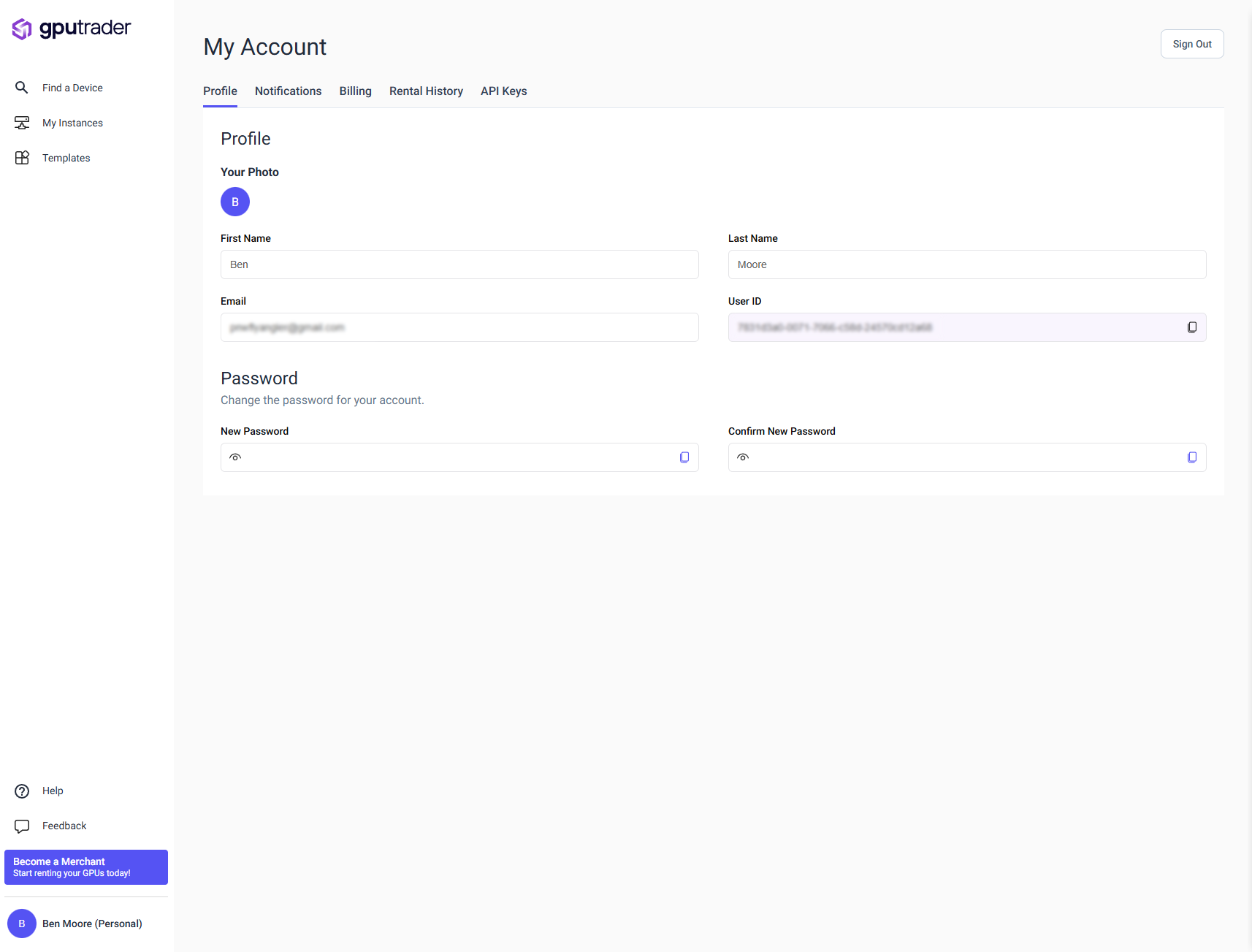 You can now:
* View and update your profile info
* Manage email notification preferences
* Adjust your billing details
* Review your full rental history
* Generate and revoke API keys
It’s all available in the console under your profile. Nothing flashy, but it works—and it’s probably long overdue.
As always, we’re focused on giving you real control over how you use GPU Trader.
Check it out in the [docs](https://docs.gputrader.io/renters/account-management) or just [log in](https://console.gputrader.io/marketplace?action=Signin) and click your name in the corner.
More to come. Probably with more fanfare. Probably.
You can now:
* View and update your profile info
* Manage email notification preferences
* Adjust your billing details
* Review your full rental history
* Generate and revoke API keys
It’s all available in the console under your profile. Nothing flashy, but it works—and it’s probably long overdue.
As always, we’re focused on giving you real control over how you use GPU Trader.
Check it out in the [docs](https://docs.gputrader.io/renters/account-management) or just [log in](https://console.gputrader.io/marketplace?action=Signin) and click your name in the corner.
More to come. Probably with more fanfare. Probably.